Top 5 Tips for Creating High-Converting YouTube Thumbnails
24 Sep 2025

Here is a complete, professional blog post written strictly in English, tailored to your new title and the Combiup platform description. You can copy and paste this directly onto your website:
Top 5 Tips for Creating High-Converting YouTube Thumbnails
In the highly competitive world of online video, your thumbnail is the single most important factor determining whether a viewer clicks on your content or scrolls past it. In this blog post, we discuss the ultimate visual strategies to optimize your click-through rate (CTR), break down the mechanics of human attention, and explore how automation can streamline your channel's growth. Whether you are a veteran creator managing multiple channels or a beginner launching your very first video, these five actionable tips will help you take proactive steps towards a highly successful digital future.
1. Establish a Strong Visual Hierarchy and Clear Focal Points
An effective thumbnail should tell a story in a single glance. Avoid cluttered layouts that confuse the eye; instead, focus on one or two main subjects—such as an expressive human face or a high-contrast object—and make them the clear focal point of your design. By combining computer vision principles with strategic placement, you can guide the viewer’s eyes exactly where you want them to go, ensuring your core message is communicated instantly.
2. Leverage High-Contrast Color Palettes and Platform-Safe Layouts
To stand out in YouTube's dark or light mode interfaces, your backgrounds and foreground elements must have excellent contrast. Use vibrant, complementary colors that pop on mobile screens, but always keep your layout platform-safe. Make sure your most critical visual elements or text overlays are not placed in the bottom right corner, where the YouTube video duration timestamp will automatically cover them.
Data shows that high-contrast text combined with expressive facial expressions can increase a video's click-through rate by over 30%. Combiup eliminates the need for expensive designers, allowing you to instantly generate eye-catching layouts that perfectly balance color psychology and platform requirements.
3. Keep Text Overlays Short, Bold, and Expressive
Never copy your video title directly into your thumbnail text. Instead, use three to four compelling, high-impact words that complement the title and spark immediate curiosity. Use massive, clean, and bold typography that remains perfectly legible even when scaled down to a tiny smartphone screen. Expressive, punchy text hooks the viewer's brain and forces them to pause their scroll.
4. Maintain Brand Consistency Across Your Uploads
Building a recognizable digital brand means your loyal viewers should instantly know a video belongs to you before they even read your channel name. Establish a sustainable creative workflow by using consistent fonts, a unified color signature, and standardized layout templates. While each thumbnail should be unique to its video, maintaining an underlying stylistic pattern across your library builds long-term visual trust with your audience.
5. Use AI Automation to Scale Your Creative Workflow Effortlessly
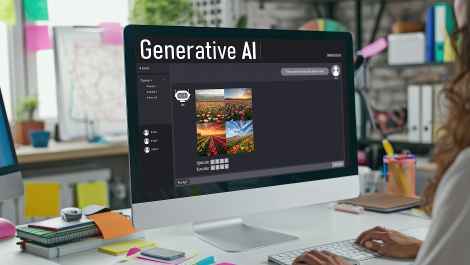
Designing high-converting thumbnails manually can take hours of tedious editing, taking your valuable energy away from video production. The secret weapon of modern creators is utilizing advanced generative AI models and natural language processing (NLP). With tools like Combiup, you can simply enter your text prompt, describe your idea, select your preferred platform style, and watch professional, custom thumbnails come to life in seconds.
From Instant Design Generation to Effortless Channel Growth
Navigating the technical side of asset creation shouldn't hold your channel back from reaching its true potential. With Combiup's advanced AI design engine, creating professional, natural, and highly clickable banners is easier than ever. Take proactive steps today to transform your content strategy, eliminate the need for complex editing software, and let artificial intelligence optimize your visual storefront while your audience grows effortlessly.
Recent Blogs


Fiverr & Upwork Gigs: The Secret Power of Professi...
Fiverr & Upwork Gigs: The Secret Power of Professio...
26 Sep 2025